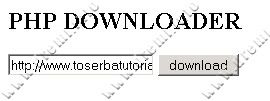
Fungsi dibawah ini merupakan fungsi buatan untuk mendownload file dari remote HTTP ke local harddisk. Tentunya hanya file yang memiliki hak akses 0777 saja yang akan bisa didownload.
PHP Code:
<?php
define ("_MAX_DOWNLOAD_RATE", 20.5*1024); //20kb / second
define ("_DOWNLOAD", "D:/down-test/");
function putItNow($file_source, $file_target)
{
// Preparations
$file_source = str_replace(' ', '%20', html_entity_decode($file_source)); // fix url format
if (file_exists($file_target)) { chmod($file_target, 0777); } // add write permission
// Begin transfer
if (($rh = fopen($file_source, 'rb')) === FALSE) { return false; } // fopen() handles
if (($wh = fopen($file_target, 'wb')) === FALSE) { return false; } // error messages.
while (!feof($rh))
{
// unable to write to file, possibly because the harddrive has filled up
if (fwrite($wh, fread($rh, round(_MAX_DOWNLOAD_RATE))) === FALSE) { fclose($rh); fclose($wh); return false; }
}
// Finished without errors
fflush($rh);
fflush($wh);
return true;
}
if(isset($_POST['submit']) && !empty($_POST['source']))
{
$target = _DOWNLOAD.basename($_POST['source']);
if(putItNow($_POST['source'], $target))
{
echo "Download for = ".$_POST['source']." into $target was DONE successfully !!!";
}
else
{
echo "Unable to download = ".$_POST['source'];
}
}
?>PHP DOWNLOADER
"
Definisi _MAX_DOWNLOAD_RATE digunakan untuk mendefinisikan nilai max download rate saat mendownload file, yakni 20 kb / second
sedangkan definisi _DOWNLOAD menentukan lokasi hasil download pada harddisk
diperlukan fungsi str_replace untuk menggantikan string %20 menjadi spasi. Sedangkan urutan download data na adalah:
1. fopen
2. fwrite
3. fread
4. fclose
5. fflush
demikian dan terimakasih


 Lihat Daftar Isi !
Tidak ada komentar:
Posting Komentar